Netflix
YouTube
X

On iPhone.
Save words for Anki.

Watch it. Read it. Save it.
Turn Japanese from Netflix, YouTube, and X into Anki cards. Compatible text cards can go directly to AnkiMobile after setup; audio cards need export and import.

Join the waitlist

Save a word. Keep its context.

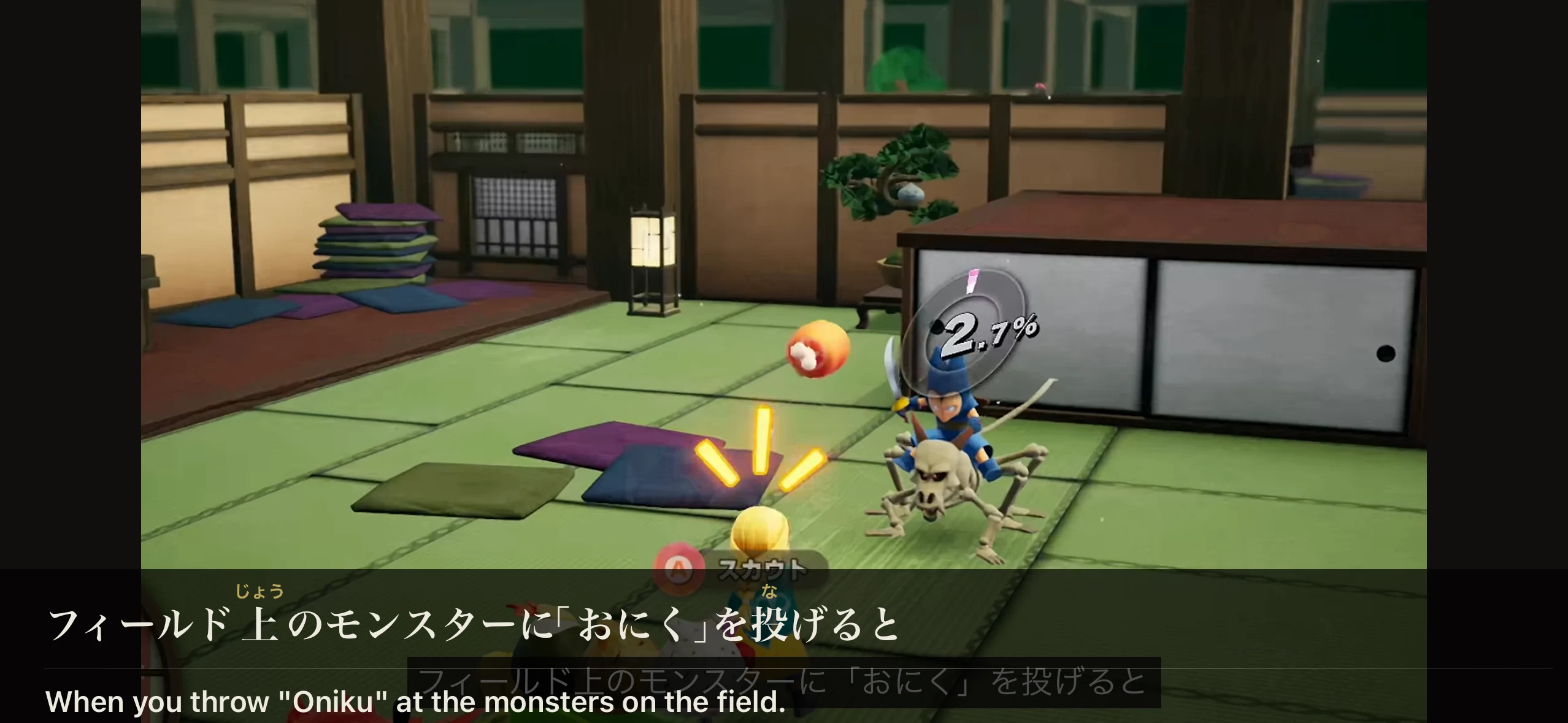
The full video in rikAI, with the Japanese sentence フィールド上のモンスターに「おにく」を投げると and its English translation.
Find your next word in what you watch.
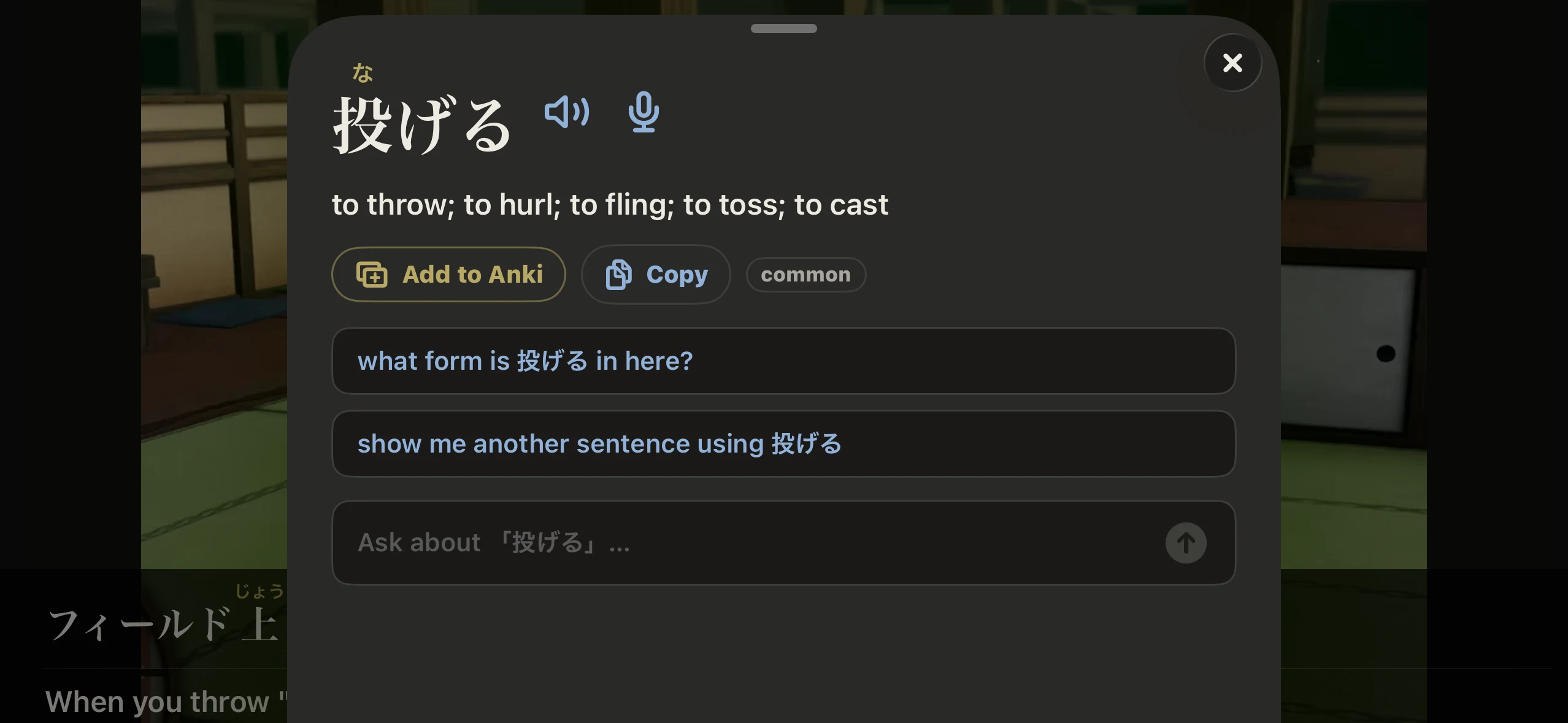
The word 投げる selected in the video, showing its meaning and the Add to Anki button.
Tap “Add to Anki.”
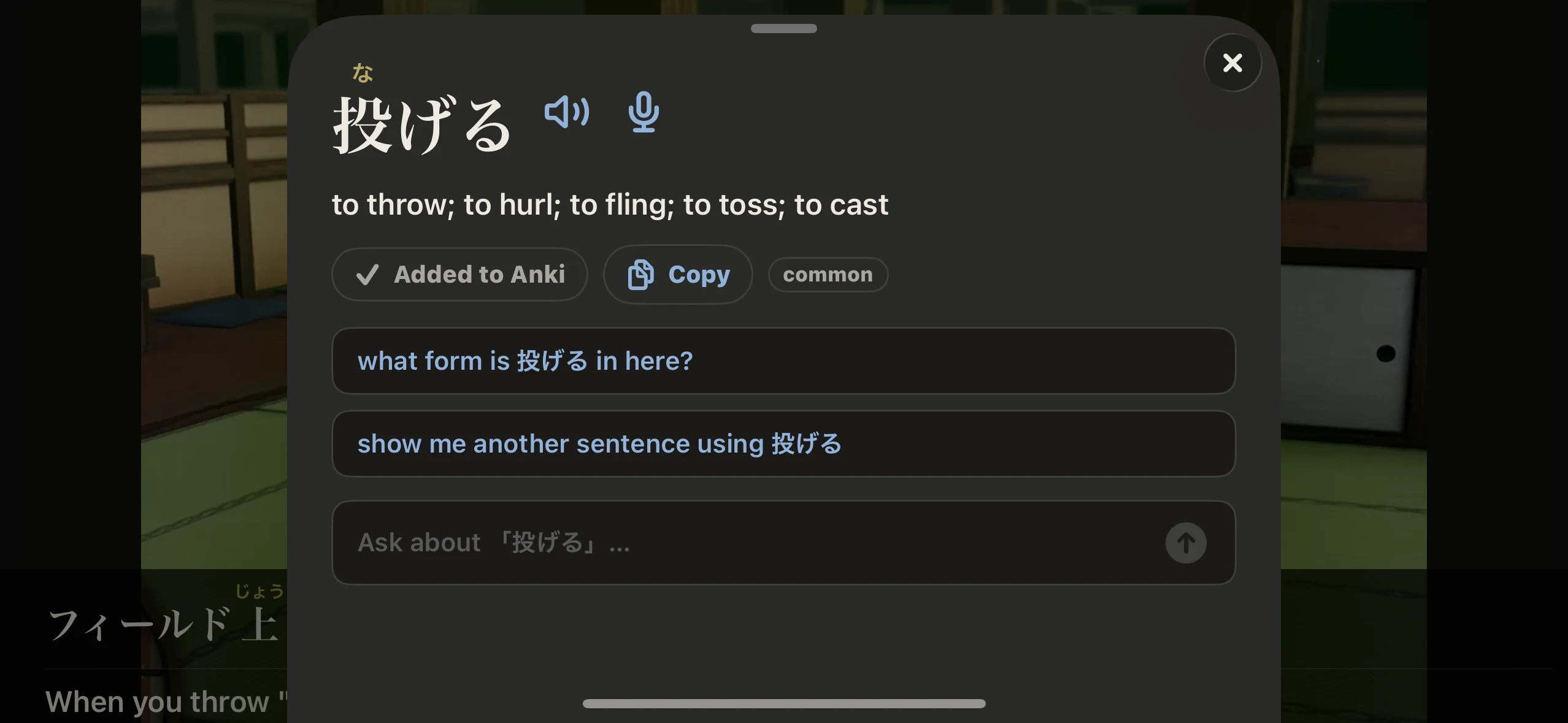
The same word panel with a checkmark and Added to Anki, confirming the card was saved.
Saved in rikAI. Keep watching.

Keep the context.
Add audio.

Save the sentence you found it in, its translation, and pronunciation audio.

Fully customizable.
Your deck. Your cards.

Set it up once. Mine your way.

Your deck & note type
Use the deck and card format you already study.
Your fields
Choose where the word, meaning, sentence, pitch accent, and audio go. Leave a field blank to skip it.
Furigana, your way
On the front. On the back. Or off.
Tags & duplicates
Add your own tags. Choose whether to allow repeat cards.
Presets you can save
Start with a built-in preset, customize it, and save your own setup.
Audio & export
Add pronunciation in your chosen voice. Audio cards are saved for export together in one .apkg file, which you then import in AnkiMobile or desktop Anki.

Pick a starting point.

  • Reading practice
  • Vocab + sentence
  • Full card (no audio)
  • Full card (with audio)

Your next Anki card starts here.

Join the waitlist Explore all features